
 It is common knowledge that Google likes fast web sites. Using a Cache program will increase your speed, and therefore it will help gain the blessings of Google.
There are two different Cache protocols.
Browser Cache stores website files locally on a user’s computer, saving certain common files. Browser Cache speeds up repeat visits for individual users and saves bandwidth, altho the first time a page is displayed is downloaded at normal speed then saved. After the first download, your browser knows to check for saved files that are re-used, such as pictures, and uses them instantly instead of downloading over the internet. It lives on the user’s local computer or phone via the web browser and stores static files like images, logos, CSS stylesheets, and JavaScript files. Stops the device from downloading the same files twice. This makes repeat page views load much faster.
Usually globally configured in the setup files of a website, the variables and programmed expirations are set manually.
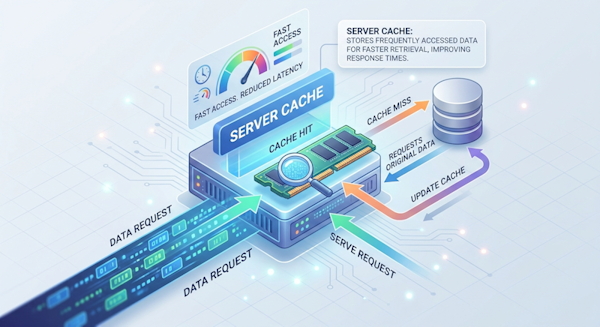
Server Cache is stored on the website’s host server or a proxy/memory layer. It stores Database query results, API responses, and fully rendered HTML pages. Main benefit is it stops the server from doing heavy code work or database searches over and over for the same content. This keeps the site fast for heavy traffic.
Often set up in the coding of pages on a web site, a Server Cache can be either set up manually or automatic. WordPress, for instance, has easy to use plugins.
Which is best? That depends upon your web site. There is no penalty for using both, and we routinely program sites using both, or at least the one most beneficial.
Have questions? Call or email us, we are glad to help!